
Keep four facts together
Record the purpose of the appointment, its current time and time zone, the joining or arrival instructions and the responsible team member. If preparation is required, make it specific and proportionate.
A calendar entry alone may not explain why the customer booked. Carry the useful context forward so the next person does not have to ask the customer to start again. Keep private or unnecessary details out of general calendar titles.
Plan for a change before it happens
If a cancellation leaves an opening, use the appointment waitlist handoff to check fit, current availability and what has actually been offered before confirming another booking.
On a small screen, swipe or scroll sideways to read the full table.
| State | Team action | Customer needs |
|---|---|---|
| Confirmed | Check the assigned person and current details. | Where, when and what to prepare |
| Rescheduled | Replace the old appointment details and reconcile the team’s view. | One clear current time, not competing reminders |
| Cancelled | Record the cancellation and stop obsolete appointment actions. | A clear acknowledgement and any appropriate next option |
Walk through a reschedule
Fictional example: a customer moves a Tuesday estimate visit to Thursday. The calendar changes, but the field team still has Tuesday on its task list.
The handoff is incomplete until the responsible person can see Thursday, understands what changed and knows the old visit is no longer expected. Inspect both the customer-facing instructions and the operational record. Do not infer that one updated screen means every connected view has updated.
Keep a record of changes and one current appointment
When an appointment changes, the useful question is not just “did the calendar update?” It is “which version is current, and who has checked the affected work?” Use one row per change rather than overwriting the explanation for an earlier decision.
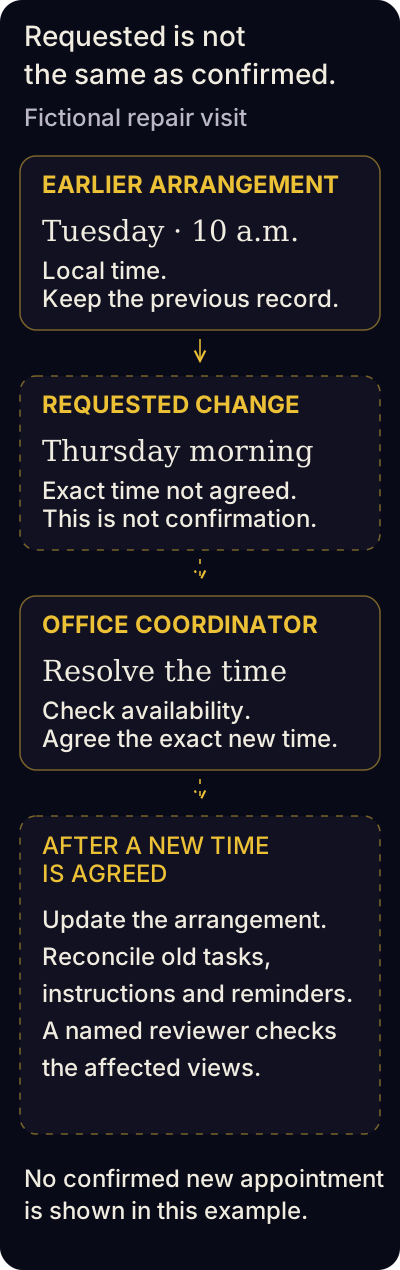
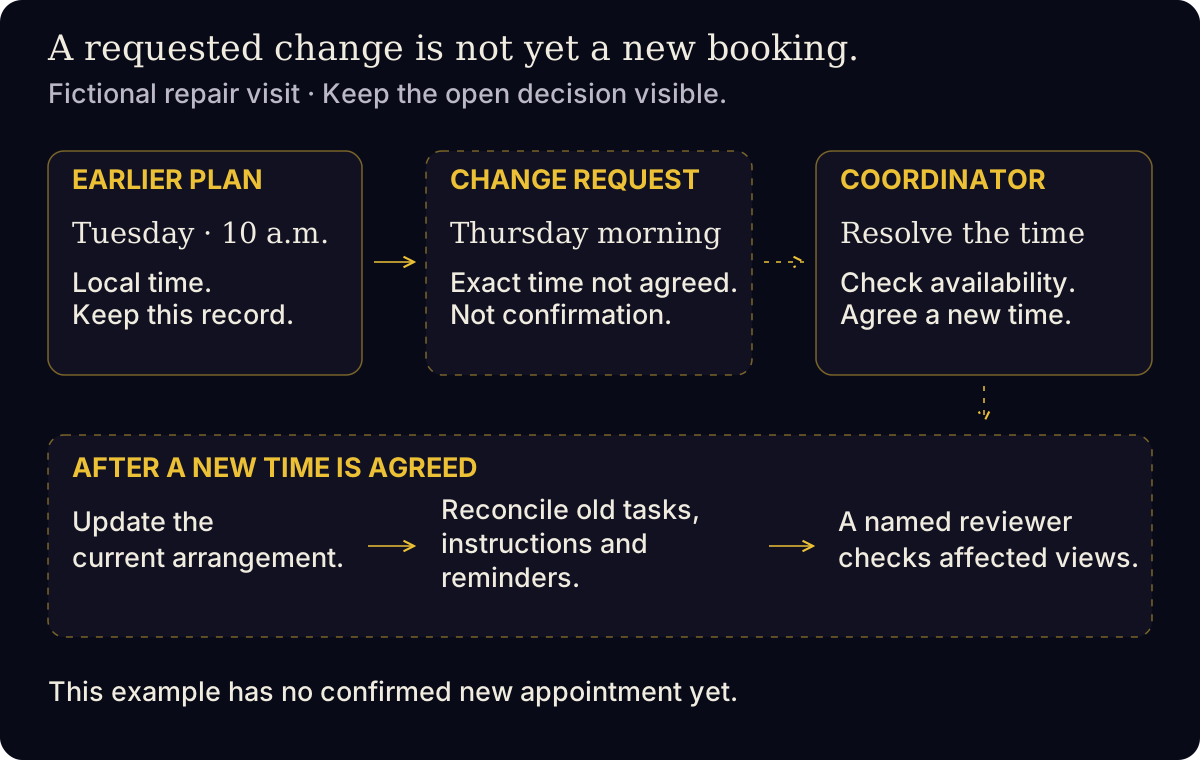
“Thursday morning” is still a request. Only after agreement should the current arrangement and its affected work be reconciled; no confirmed reschedule or attendance result is shown.
Fictional example.
Read the diagram in words
- Earlier arrangement: Tuesday at 10 a.m. local time. Keep the previous record as part of the change history.
- Requested change: Thursday morning. An exact new time has not been agreed.
- The office coordinator checks availability and agrees an exact time with the customer.
- After agreement, update the current arrangement and reconcile old visit tasks, arrival instructions and scheduled reminders. A named reviewer checks the relevant views.
- The diagram shows the open decision and the conditional next checks. It does not assert that a new appointment is confirmed, attended or automatically processed.
On a small screen, swipe or scroll sideways to read the full table.
| Record | Fictional reschedule example |
|---|---|
| Request and current owner | Repair visit A; office coordinator |
| Previous arrangement | Tuesday at 10 a.m., local time |
| Requested arrangement | Thursday morning; exact time not yet agreed |
| Evidence and time | Customer’s change request, received Monday at 2 p.m. |
| Open decision | Check team availability and agree an exact time with the customer |
| Affected work | Old visit task, arrival instructions and any scheduled reminders |
| Reconciliation check | Named reviewer confirms the current arrangement in the relevant views |
In this example, “Thursday morning” is a request, not a confirmed new booking. Keep that distinction visible until a time is agreed. Do not send instructions that imply confirmation while the decision is still open.
For a cancellation, record what was cancelled, who is handling any remaining commitments and which appointment actions are now obsolete. Keep any refund or cancellation-fee decision separate and apply the actual agreed terms. A cancelled appointment does not, by itself, establish that a refund was processed or the entire customer request was closed.
If the appointment owner is away, use an explicit coverage handoff. One current appointment, one responsible person and an honest unresolved state are more useful than two screens that appear complete but disagree.
Record attendance as a separate event
A booking, a delivered confirmation and an attended appointment are three different observations. Have the responsible person record what actually happened after the appointment: attended, cancelled, rescheduled, did not attend or unknown.
Keep “unknown” when there is no reliable record. Treating every booking as an attended appointment creates misleading reports and can send follow-up down the wrong branch.
Run a rehearsal without using a real customer
- Describe a normal appointment using fictional details.
- Trace who receives the handoff and what they should see.
- Repeat for a reschedule and a cancellation.
- Identify which views and communications need checking.
- Agree who confirms the real process is ready before it is used.
A paper rehearsal is a good starting point. A live booking test can trigger messages or create records, so arrange that test deliberately with whoever owns the system.
Keep uncertain appointment details visible.
When records disagree, preserve what is confirmed and name the person who will resolve the gap. Do not turn a plausible interpretation into a new appointment or an attendance result.
On a small screen, swipe or scroll sideways to read the full table.
| Situation | What remains unknown | Next check |
|---|---|---|
| The record says “10 a.m.” without a time zone. | Which local time the customer and team agreed. | The scheduling owner checks the original arrangement and confirms the time zone before relying on it. |
| A customer requested Thursday; the old Tuesday confirmation is still visible. | Whether a new time was accepted and affected work reconciled. | The appointment owner checks the current agreement and obsolete instructions. The request alone is not a confirmed reschedule. |
| The visit time passed, but attendance evidence is missing. | Whether the appointment was attended, changed or missed. | The responsible person checks the actual visit record or assigned colleague. Keep attendance unknown until supported. |
These checks do not establish cancellation fees, a grace period or a right to contact the customer again. Apply the actual agreed process and permissions. The aim is one accurate current arrangement with a responsible next action.
Explore From the first inquiry to a clear booking. for related questions and a useful starting point.